> ## Documentation Index
> Fetch the complete documentation index at: https://decageo.ai/docs/llms.txt
> Use this file to discover all available pages before exploring further.
# Product Details
> Every ranked product has a detail page with the evidence behind its position — metric performance, history, segments, citations, on-page patterns, and the AI's actual responses.
Every product on an [AI Ranking Chart](/docs/using/ai-ranking-chart) has a detail page — open it by clicking the product's row, or from a brand search. The chart tells you where a product stands; the detail page holds the evidence behind that position.
At the top you'll find the product's company, its site URL, and its categories, along with the **week selector**, a **Track** button, and **Export PDF** \[Pro] — a report covering the full page, or one focused on on-page GEO patterns.
 ## The Overview tab
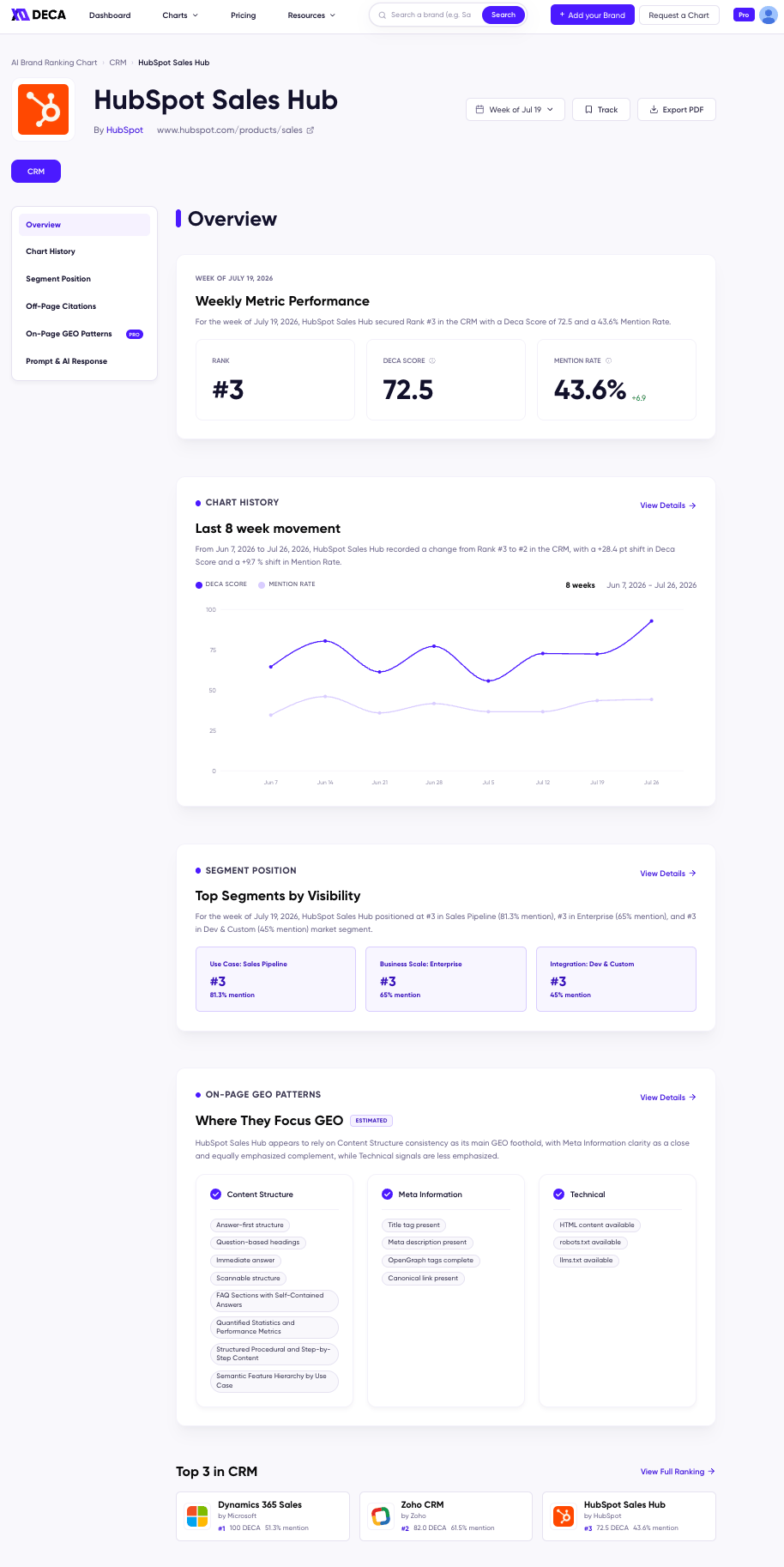
The Overview tab opens with **Weekly Metric Performance** — the product's Rank, [DECA Score](/docs/metrics/deca-score), and [Mention Rate](/docs/metrics/mention-rate) for the selected week, each with its change — followed by previews of the product's recent chart movement, top segments, and on-page GEO focus. Each preview links to its full tab with **View Details**, and the page closes with the category's current Top 3.
## The analysis tabs
| Tab | What it shows |
| :------------------------------------------------------------- | :--------------------------------------------------------------------- |
| [Chart History](/docs/using/chart-history) | DECA Score and Mention Rate week over week — spike or momentum? |
| [Segment Position](/docs/using/segment-position-tab) | The product's rank and mention rate in each buyer segment |
| [Off-Page Citations](/docs/using/off-page-citations) | The reviews, forums, and media AI cites when it recommends the product |
| [On-Page GEO Patterns](/docs/using/on-page-geo-patterns) **\[Pro]** | The content, metadata, and technical patterns of its most-cited pages |
| [Prompt & AI Response](/docs/using/prompt-and-ai-response) | The buyer-style prompts and AI answers behind the ranking |
## Brand Hub
Every company has a **Brand Hub** — the company-level view behind any single product. Open it from the company link at the top of a product page (e.g. **By HubSpot**) to see all of the company's products and every category they show up in.
## Track the products you care about
Click **Track** on any product to bookmark it. Tracked products appear together on the **Tracked Products** page — each with its rank, rank change, and mention change for the week — which you can open anytime from your profile menu (**Recent Tracks → View All**).
You can track a product that isn't ranked yet: its row shows a dash until the product lands on a chart, then fills in with its position.
## The Overview tab
The Overview tab opens with **Weekly Metric Performance** — the product's Rank, [DECA Score](/docs/metrics/deca-score), and [Mention Rate](/docs/metrics/mention-rate) for the selected week, each with its change — followed by previews of the product's recent chart movement, top segments, and on-page GEO focus. Each preview links to its full tab with **View Details**, and the page closes with the category's current Top 3.
## The analysis tabs
| Tab | What it shows |
| :------------------------------------------------------------- | :--------------------------------------------------------------------- |
| [Chart History](/docs/using/chart-history) | DECA Score and Mention Rate week over week — spike or momentum? |
| [Segment Position](/docs/using/segment-position-tab) | The product's rank and mention rate in each buyer segment |
| [Off-Page Citations](/docs/using/off-page-citations) | The reviews, forums, and media AI cites when it recommends the product |
| [On-Page GEO Patterns](/docs/using/on-page-geo-patterns) **\[Pro]** | The content, metadata, and technical patterns of its most-cited pages |
| [Prompt & AI Response](/docs/using/prompt-and-ai-response) | The buyer-style prompts and AI answers behind the ranking |
## Brand Hub
Every company has a **Brand Hub** — the company-level view behind any single product. Open it from the company link at the top of a product page (e.g. **By HubSpot**) to see all of the company's products and every category they show up in.
## Track the products you care about
Click **Track** on any product to bookmark it. Tracked products appear together on the **Tracked Products** page — each with its rank, rank change, and mention change for the week — which you can open anytime from your profile menu (**Recent Tracks → View All**).
You can track a product that isn't ranked yet: its row shows a dash until the product lands on a chart, then fills in with its position.