> ## Documentation Index
> Fetch the complete documentation index at: https://decageo.ai/docs/llms.txt
> Use this file to discover all available pages before exploring further.
# Segment Position Tab
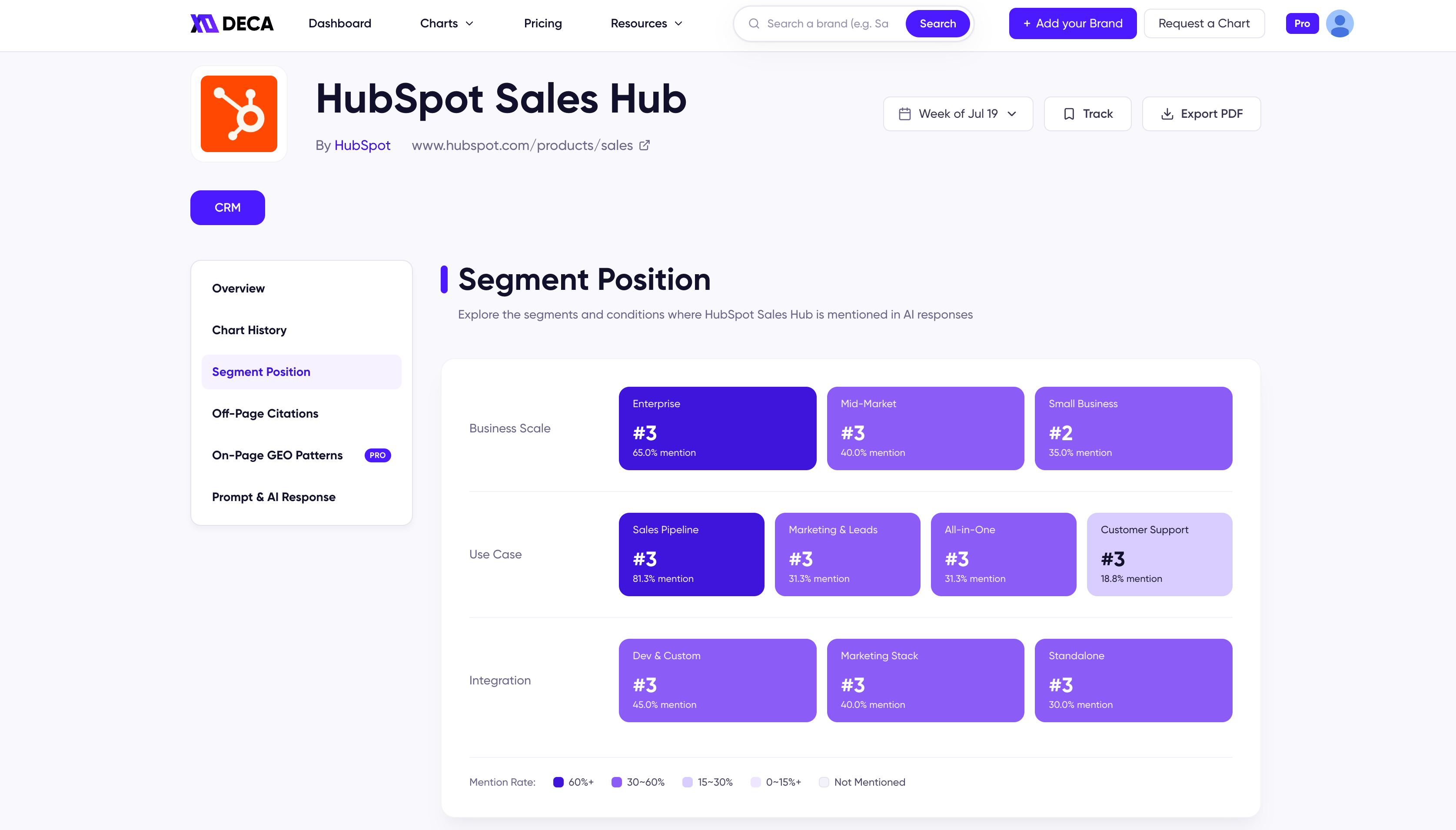
> The product-detail view of Segment Position — every segment where a product appears in AI responses, its rank in each, color-coded by mention rate.
The Segment Position tab shows every segment where a product appears in AI responses — and where it ranks in each. This is the per-product view of the metric; for what a segment is and how segment ranks are computed, see [Segment Position](/docs/metrics/segment-position) in Metrics.
 ## The segment grid
Segments are grouped by the category's condition axes — the CRM chart, for example, groups them by business scale, use case, and integration. Each card is a segment the product is mentioned in, showing:
* the product's **rank** within that segment
* its **mention rate** among that segment's responses
## Reading the colors
Cards are color-coded by mention rate, from the deepest shade down to *Not Mentioned* — the legend below the grid shows the bands. One scan tells you where the product is strongest, where it barely registers, and which segments it hasn't entered at all.
## The segment grid
Segments are grouped by the category's condition axes — the CRM chart, for example, groups them by business scale, use case, and integration. Each card is a segment the product is mentioned in, showing:
* the product's **rank** within that segment
* its **mention rate** among that segment's responses
## Reading the colors
Cards are color-coded by mention rate, from the deepest shade down to *Not Mentioned* — the legend below the grid shows the bands. One scan tells you where the product is strongest, where it barely registers, and which segments it hasn't entered at all.