

Register your brand
Search for your brand in the header. When no chart has it, the results page says so and offers Add your brand under the buttons. Three details are all it takes: the brand name, its website URL, and a business email. You can submit with or without an account.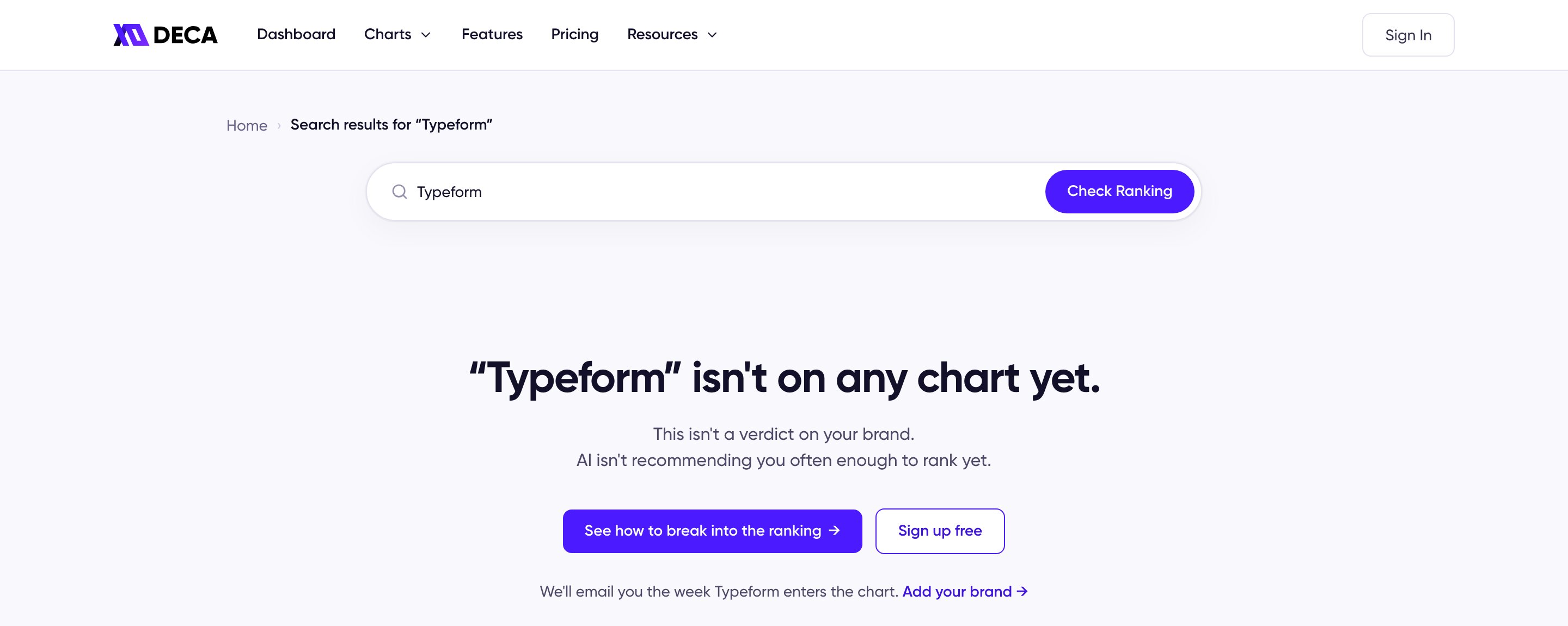
A brand search with no chart to show, and the Add your brand link under it
What registering does — and doesn’t — change
Registering doesn’t put your brand into the ranking. The prompts are brand-anonymous and the measurement stays organic, so a brand enters a chart only when AI actually starts recommending it. What registration changes is that you’ll know the moment it happens — no need to keep checking the chart. In the meantime, the confirmation offers a button into Weekly Breakouts, where you can see which brands moved up this week and what they changed on their pages, and Break Into the AI Ranking covers the groundwork you can start on your own pages.Market not covered? Request a Chart
If what’s missing isn’t your brand but the chart itself, use Request a category — on the Charts hub under the category cards, or at the bottom of the Charts menu in the header. The request covers more than a category: pick the industry and the specific category you want ranked, and optionally a target country and additional AI platforms to analyze — every chart includes ChatGPT and the US market by default.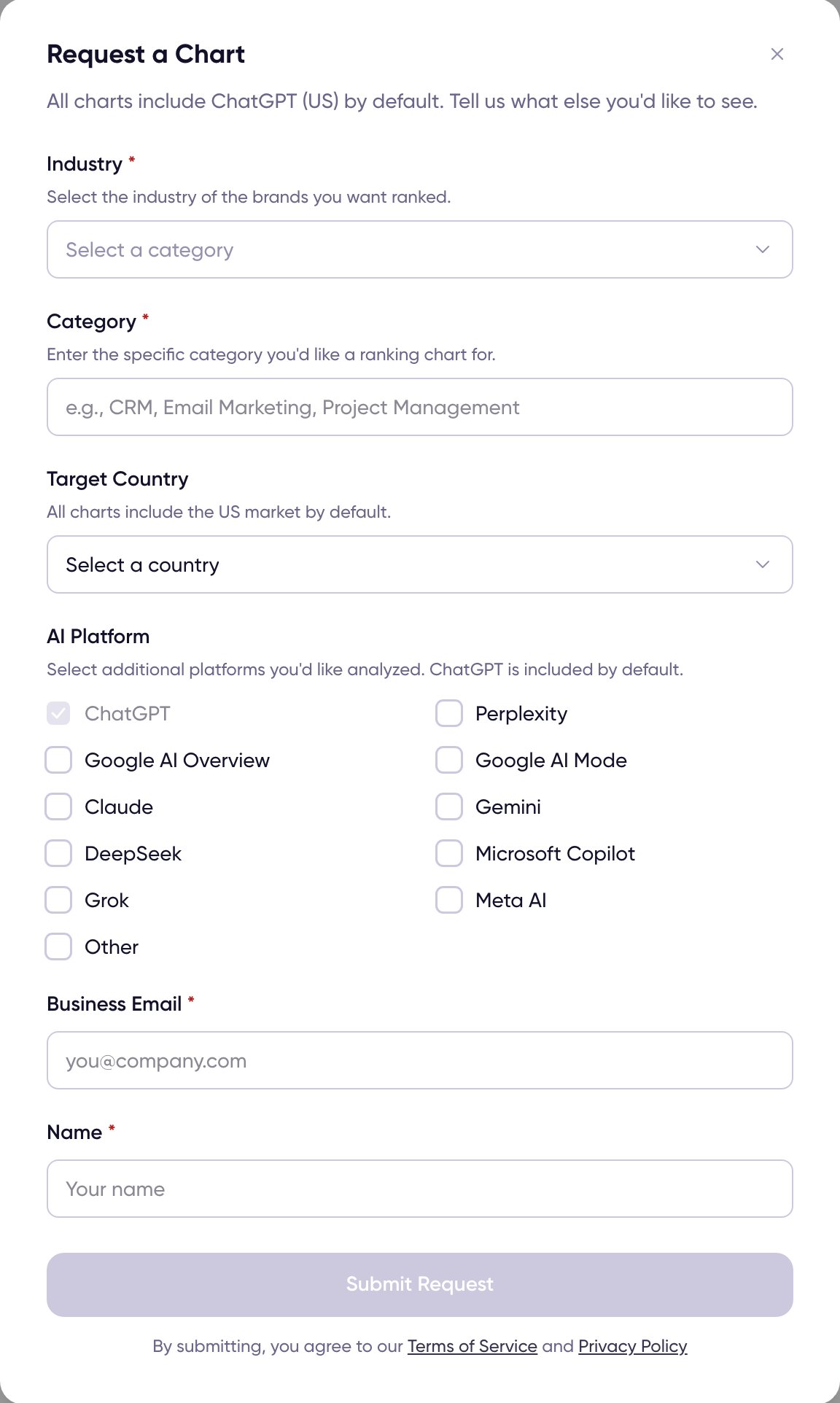
The Request a Chart form