

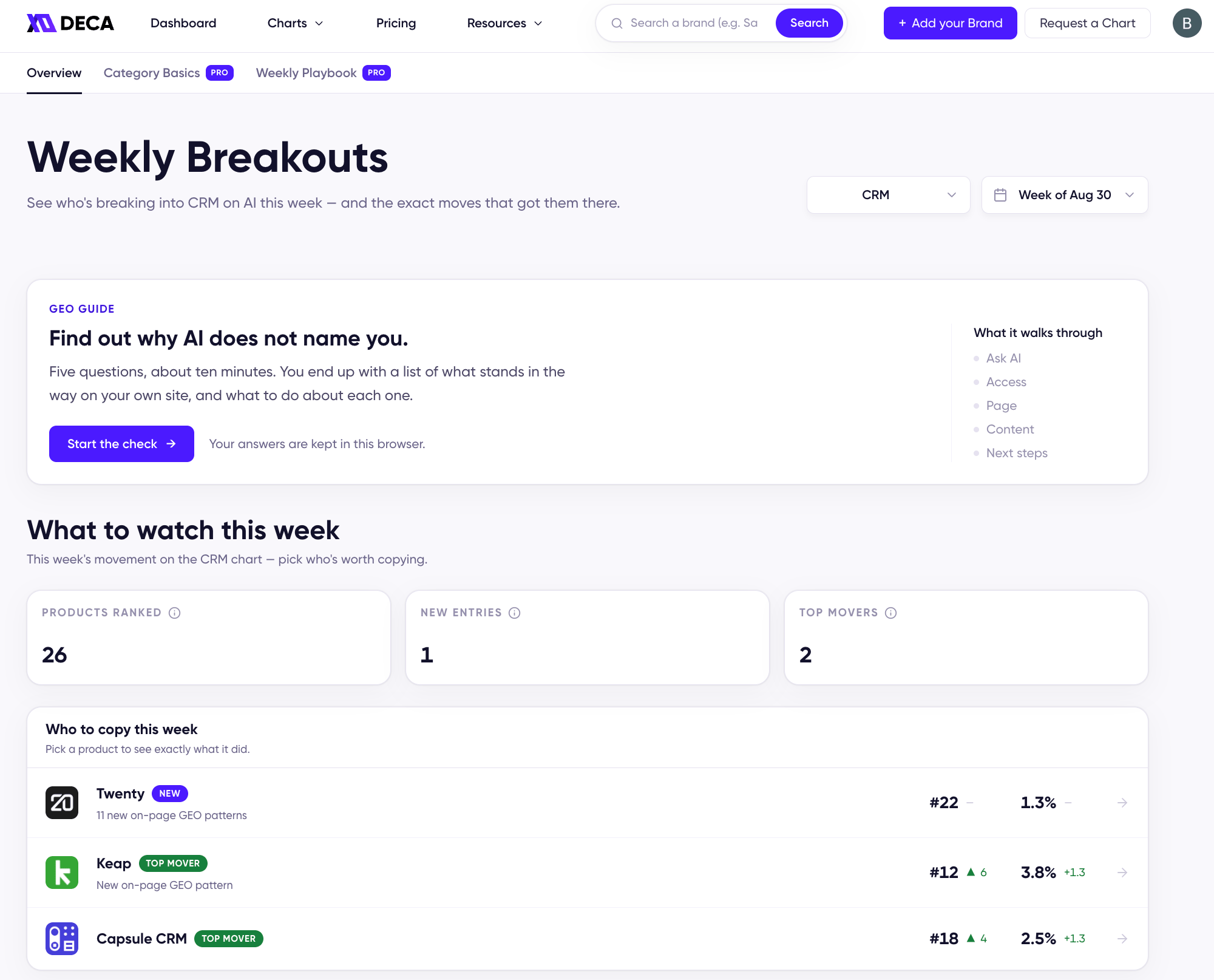
The Overview tab: the GEO Guide section, then the week's breakouts
Weekly Breakouts
The opening tab answers who’s worth copying this week:- What to watch this week — the week’s counts: products ranked, new entries, and top movers.
- Who to copy this week — each breakout with a one-line summary of what changed (e.g. 10 new on-page GEO patterns, 2 new reference citations), alongside its rank and mention rate movement.
- Each breakout up close — open a card to see the specific evidence behind that breakout: newly cited pages and the new on-page patterns or citations they picked up, with a jump to that product’s On-Page GEO Patterns. When this week’s breakouts share a pattern, the shared play is called out.
Category Basics [Pro]
The fundamentals almost every top-ranked brand in the category shares — the floor you need before anything else. Each basic is ranked by coverage across the category’s top 10 leaders (“94% of the top 10 brands have this covered”) and tagged by effort and impact, so you close the most widespread gaps first. Expand any item for Why it matters, How to apply it, and a ready-to-run AI Prompt. Open in ChatGPT opens that prompt in a new tab with the question already filled in, and Copy AI Prompt copies it to paste wherever you like. Either way, add your page URL or content and AI applies the play for you: the exact rewrite, tag, or markup it calls for. The list updates weekly against the category’s leaders.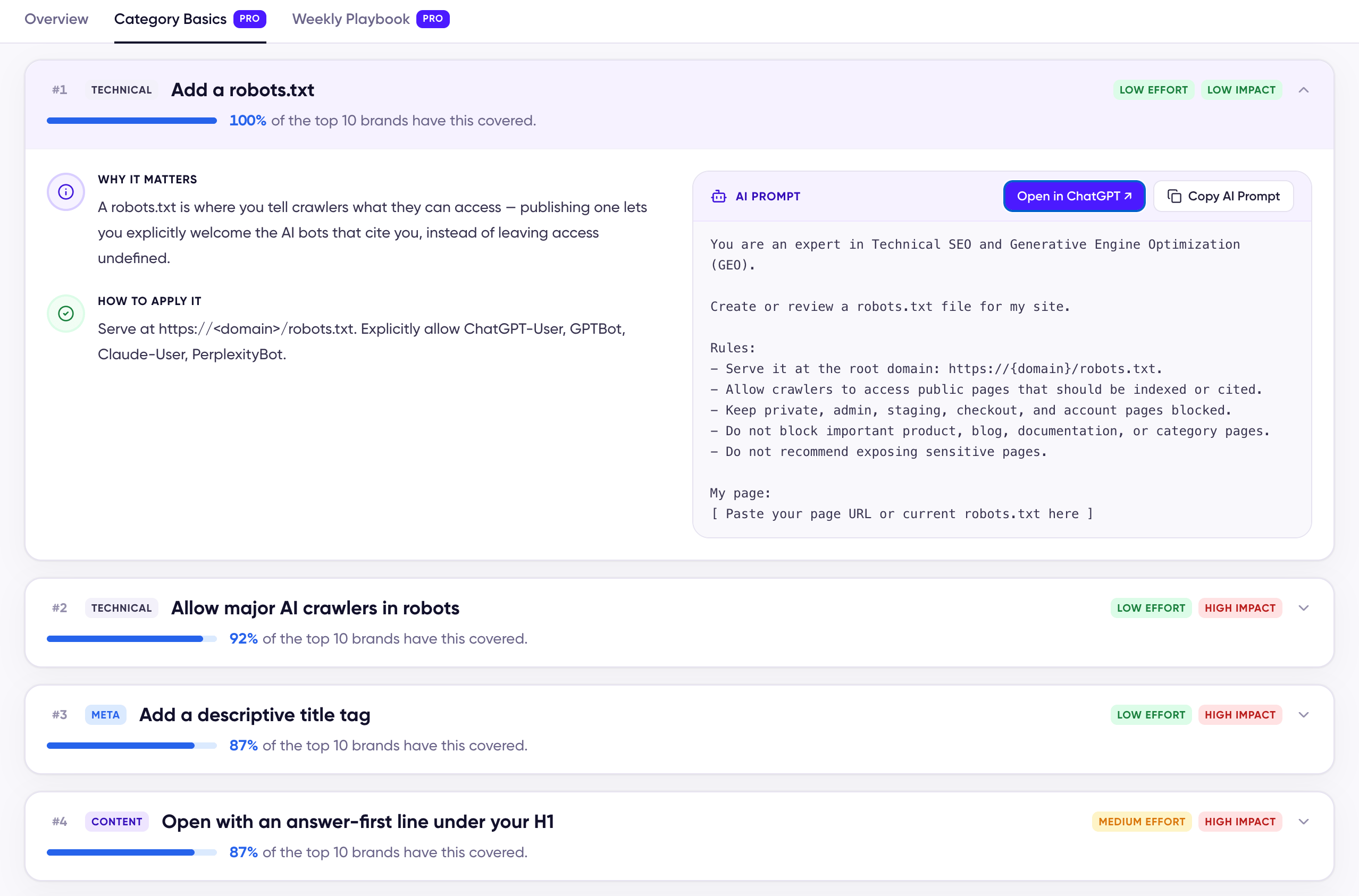
A Category Basic, expanded to its AI prompt
#on:<item> fragment: that basic opens expanded and highlighted, and a banner at the top names the item that sent you and links back to where you left the Guide.
Weekly Playbook [Pro]
The moves behind this week’s breakouts, ranked by impact and effort so you know where to start. Each play shows which movers applied it, why it matters, and how to apply it — with the same Open in ChatGPT and Copy AI Prompt pair as Category Basics — plus Proof this week: the movers’ actual cited pages, linking into their on-page patterns.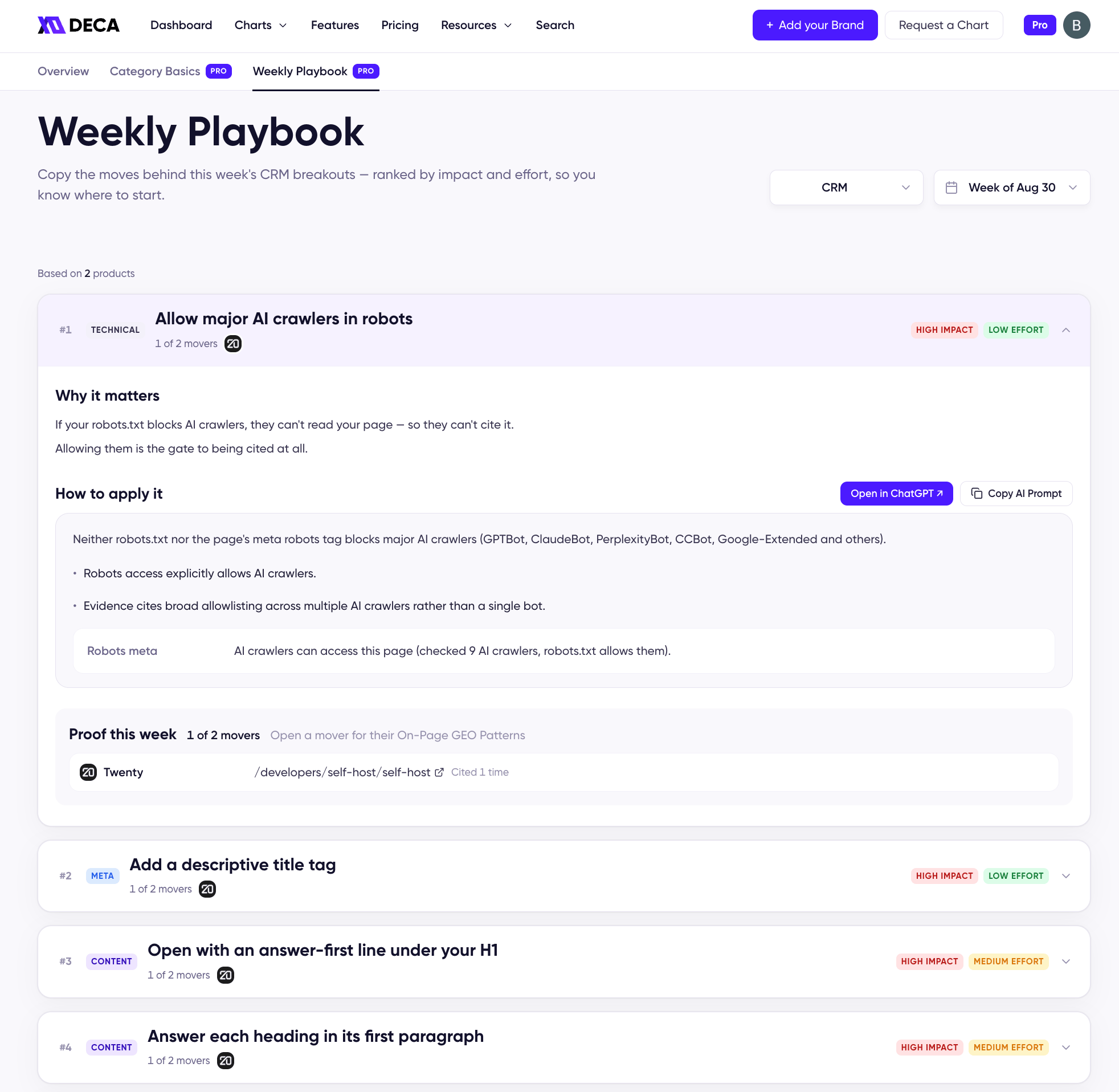
A play in the Weekly Playbook, expanded